-
- No Comments
- July 23, 2026

Bad Website Design: 7 Costly Mistakes Killing Leads
Bad Website Design Is Costing You Leads Right Now
Bad website design does something worse than look unprofessional. It actively pushes potential customers away before they ever pick up the phone or fill out a form. Visitors form an opinion about your business in roughly 50 milliseconds. Most of that snap judgment comes straight from your website’s design. If that first impression feels slow, cluttered, or untrustworthy, the visitor leaves. Your ad spend, your SEO ranking, and your sales team’s effort all go to waste at that exact moment.
This guide walks through seven common design mistakes. Each one quietly drains leads from small business websites in Jaipur and beyond. Fix even two or three of these, and you’ll likely see more enquiries. You won’t need to spend an extra rupee on ads to get there.
Why Bad Website Design Hurts Lead Generation
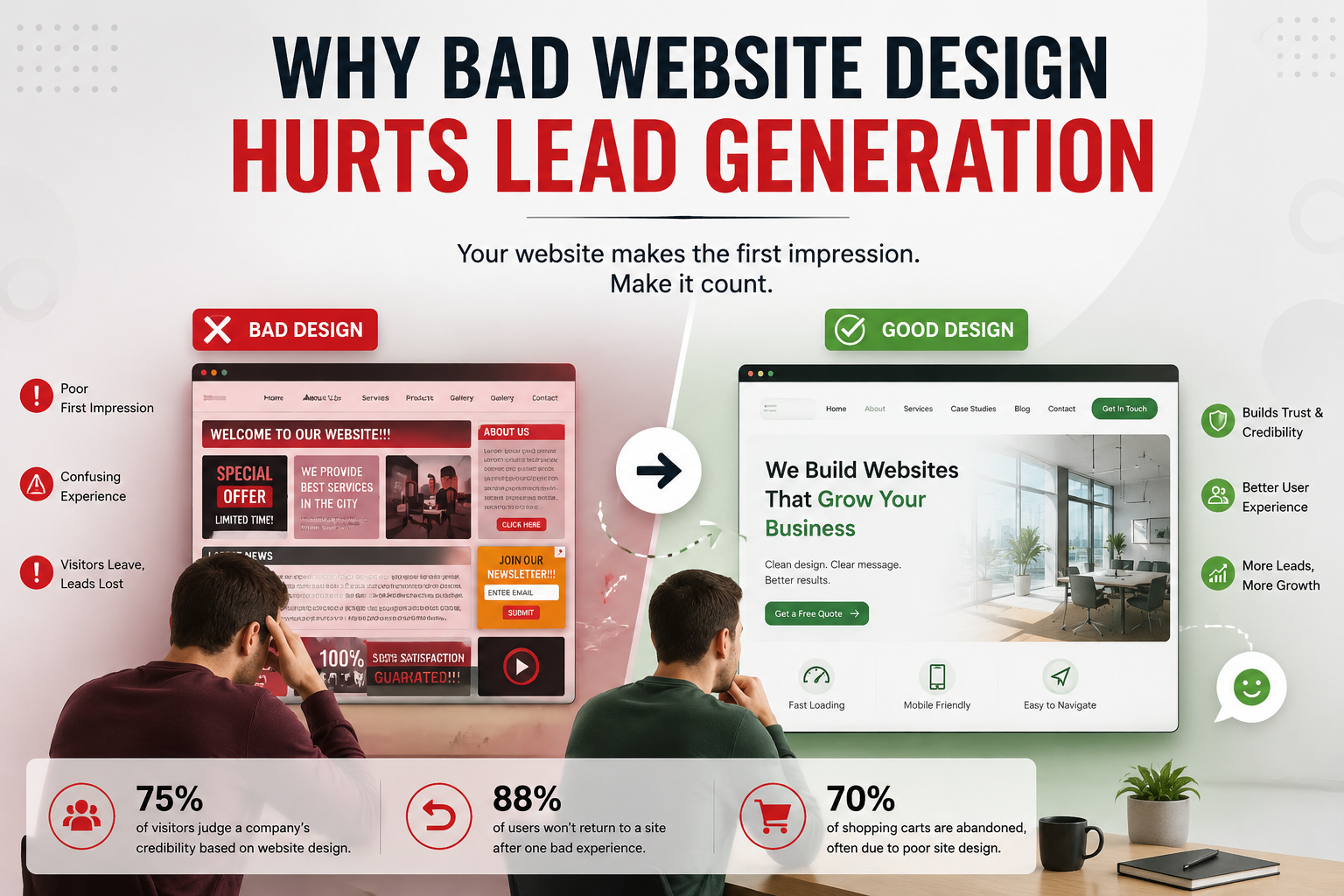
Roughly 75% of visitors judge a company’s credibility based on website design alone. They rarely dig deeper into the actual quality of the product or service first. Your site does the convincing before your sales team ever gets a chance to. A weak design signals a weak business, fairly or not.
The damage compounds too. Nearly 88% of users say they won’t return to a site after one bad experience. They don’t complain. They don’t explain what went wrong. They simply leave and buy from a competitor instead. Every one of the mistakes below chips away at that first impression. Even outside e-commerce, roughly 70% of shopping carts get abandoned industry-wide, and close to a third of those visitors blame confusing site design or a clunky checkout for walking away.
Mistake 1: Slow Page Load Speed
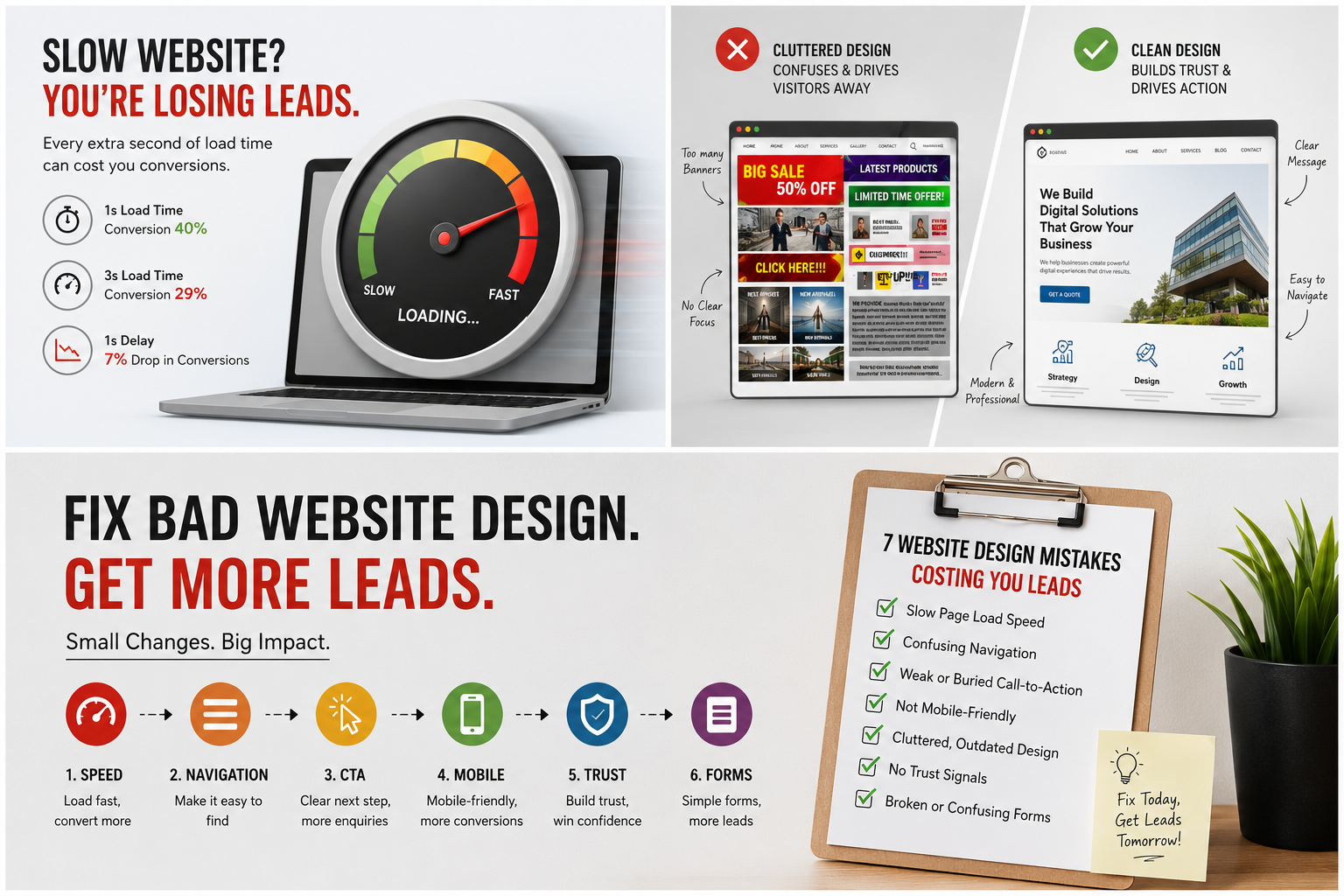
Speed shapes conversions more than almost any other factor tied to bad website design. Industry data shows conversion rates near 40% when a page loads in one second. That number drops to roughly 29% by the three-second mark. A one-second delay alone can cut conversions by around 7%.
Compress your images, cut unnecessary plugins, and pick reliable hosting. These three changes alone fix most speed problems on small business websites.
Mistake 2: Confusing Navigation
Visitors should find your services, pricing, and contact details within two or three clicks. When your menu buries key pages under vague labels, visitors give up. They leave instead of digging around for what they need.
Keep your navigation short. Label menu items in plain language your customers actually use, not internal jargon your team prefers.
Mistake 3: Weak or Buried Call-to-Action
Every page needs one clear next step. A “Contact Us” button hidden in a footer quietly kills leads on autopilot. So does a form that asks for six fields before a visitor even sees your pricing.
Place your main call-to-action above the fold. Repeat it once more near the bottom of longer pages. Visitors ready to convert should never have to hunt for it.
Mistake 4: Not Mobile-Friendly
Mobile traffic makes up a large majority of website visits today. Yet plenty of local business sites still render poorly on a phone. Mobile-optimized websites see roughly 40% higher conversion rates than sites that only work well on desktop.
Test your own site on your phone right now. If you pinch and zoom to read anything, your visitors are leaving before they even scroll. Responsive sites also tend to see 11% to 18% higher conversion rates than sites that only work well on desktop, so this fix pays for itself quickly.
Mistake 5: Cluttered, Outdated Visual Design
A crowded homepage tells visitors your business hasn’t kept up. Five competing banners, mismatched fonts, and stock photos from a decade ago all send the same signal. Clean layouts with clear visual hierarchy build trust in seconds. Clutter erodes that trust just as fast.
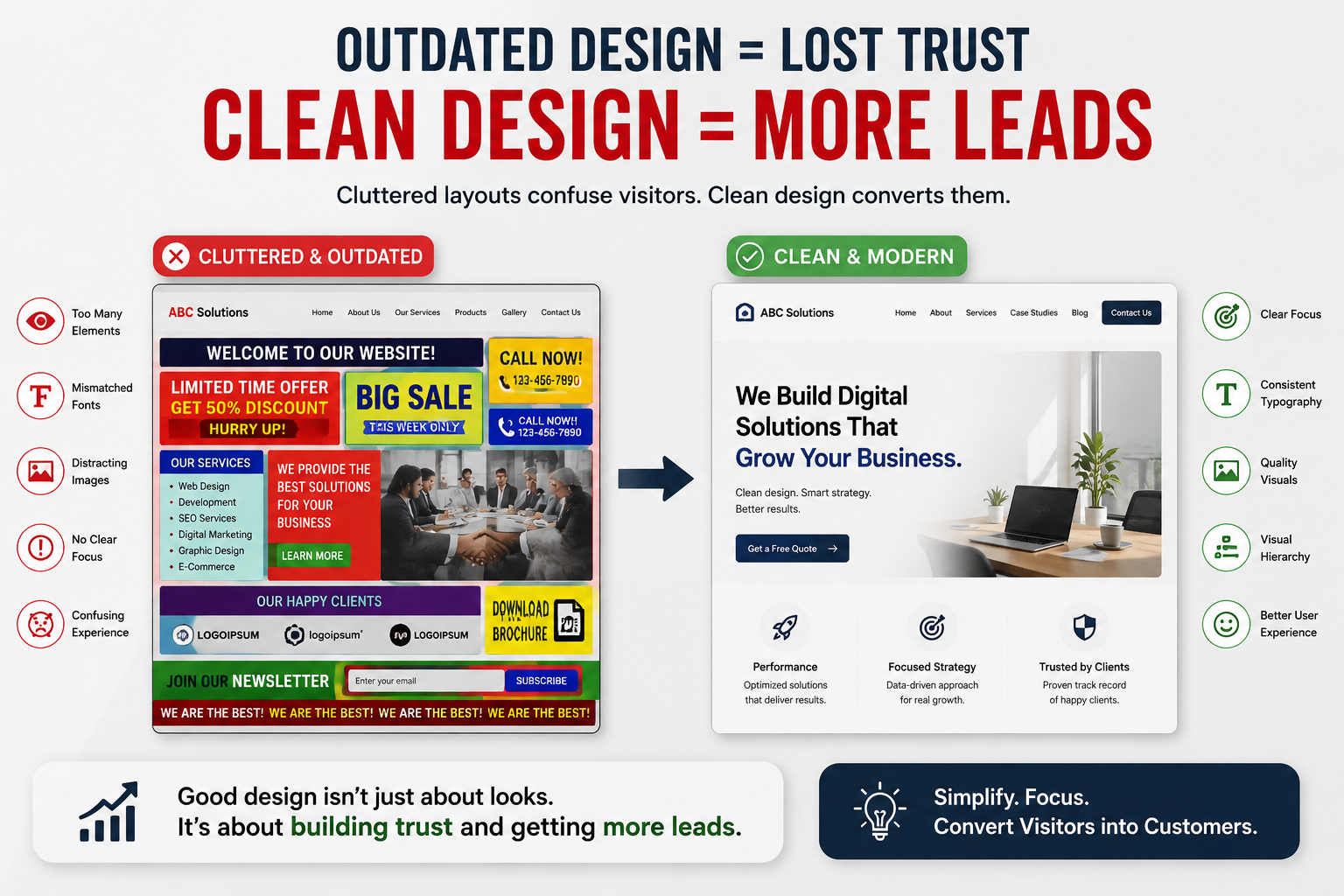
Simplify before you add. Remove any element that doesn’t directly support a visitor’s next decision.
Mistake 6: No Trust Signals
New visitors have no reason to trust an unfamiliar business yet. Without reviews, client logos, certifications, or real photos of your team, your site asks for trust it hasn’t earned.
Add a handful of genuine testimonials, your Google rating, and real project photos. These small additions do more for conversions than most redesigns ever will.
Mistake 7: Broken or Confusing Forms
A contact form that fails silently loses leads without you ever knowing they tried. So does a form that asks for information visitors don’t want to share yet. Test every form on your site monthly, on both desktop and mobile.
Ask only for a name, phone number, and one line about their need. You can always gather more details on the follow-up call.
How to Fix Bad Website Design Before It Costs You More
You don’t need a full redesign to fix bad website design. Start with the mistake costing you the most leads right now. That’s usually speed or your call-to-action. Fix that one thing first, then measure your enquiry numbers for two weeks before moving to the next fix.
Current web design research backs this up consistently. Small, targeted design fixes often move conversion numbers faster than a complete visual overhaul. This is exactly why treating bad website design as a checklist, not one giant project, gets results faster.
Short on time or in-house expertise? Our website team in Jaipur can run a quick audit. We’ll tell you exactly which of these seven mistakes applies to your site.
Frequently Asked Questions About Bad Website Design
How do I know if bad website design is costing me leads?
Check your bounce rate and average time on page in Google Analytics. A bounce rate above 70% on your homepage, combined with visits under 10 seconds, usually points to bad website design rather than a traffic problem.
Can I fix bad website design without rebuilding my whole site?
Yes, in most cases. Speed, navigation, and call-to-action placement can all improve without touching your overall layout. Save a full rebuild for when your site can’t support basic fixes anymore.
How much does fixing bad website design usually cost?
Small fixes like speed optimization or form repairs often cost far less than a full redesign. Get a specific quote once you know which mistakes apply to your site. The fix list varies for every business.
Does bad website design actually affect SEO rankings?
Yes. Google factors in page speed, mobile usability, and how long visitors stay on your site. Fixing bad website design usually improves both your rankings and your conversion rate at the same time.
How often should I review my website for design problems?
Review your site every three to six months. Do it again immediately after any major traffic drop. New devices, browser updates, and shifting visitor habits can quietly break things that worked fine before.
Conclusion: Stop Letting Bad Website Design Kill Your Leads
Every one of these seven mistakes is fixable, usually without a full rebuild. Start with speed and your call-to-action, since those two changes tend to move the needle fastest. Then work through navigation, mobile experience, visual clutter, trust signals, and your forms.
Bad website design costs you leads silently, day after day, without ever showing up as a complaint. Reach out to our team for a straightforward audit. Start converting the visitors you’re already paying to attract.


